A lab bench for every student
Prayog is a virtual lab for colleges: 9 physics practicals with working instruments and 4 electronics courses with live circuits, on the Windows computers you already have. Each student sets up the apparatus, takes their own readings, plots them and prints the record.
- Runs on Windows 10 and 11
- No student logins
- Works offline between renewals
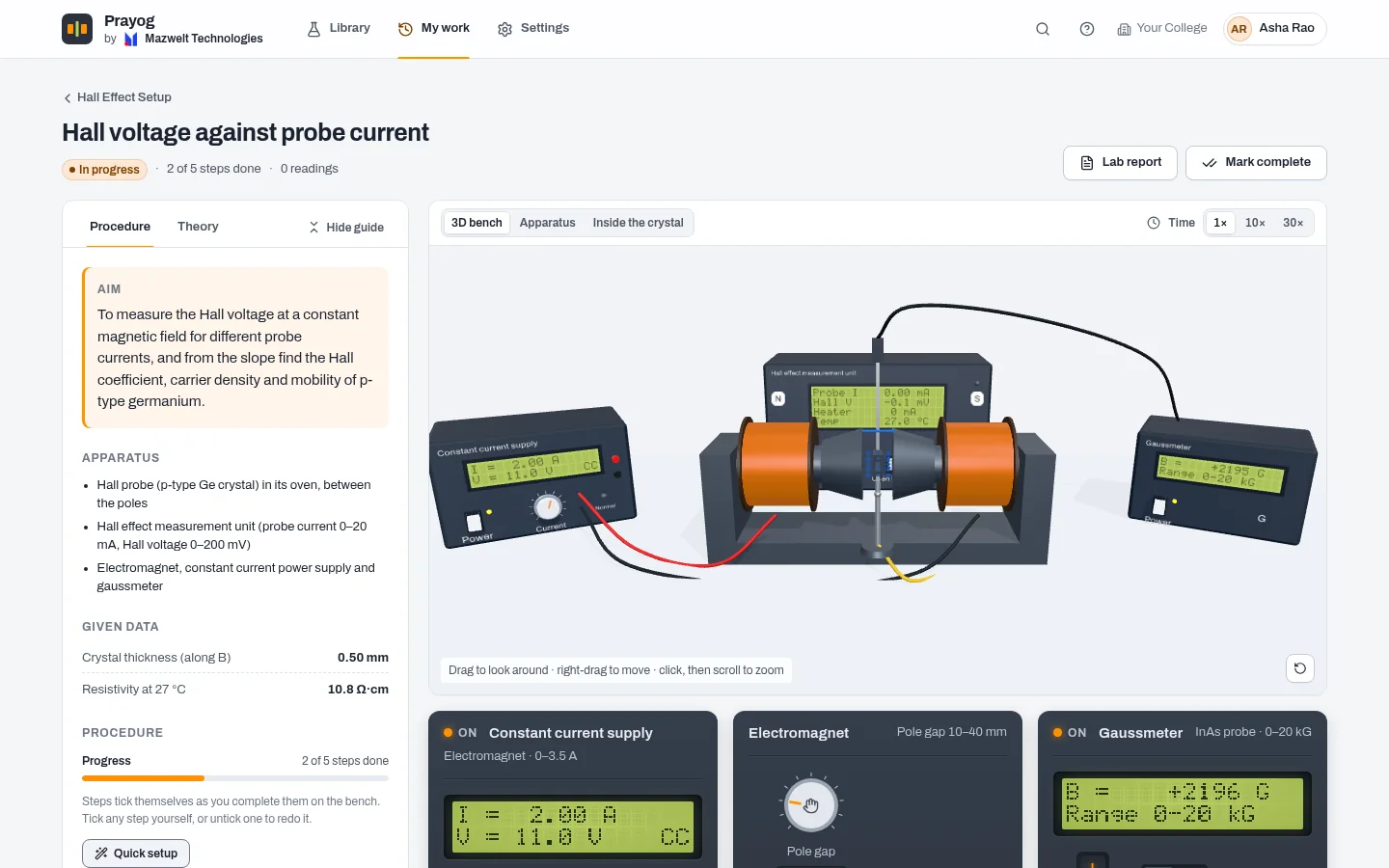
Hall effect in p-type germanium
Try it. Set the probe current, take a reading, and let the Hall coefficient come out of your own graph.
| I (mA) | VH (mV) |
|---|---|
| 2.0 | 15.8 |
| 4.0 | 31.8 |
| 6.0 | 47.6 |
Hall coefficient from 3 readings
RH= 19,880 cm3 C−1
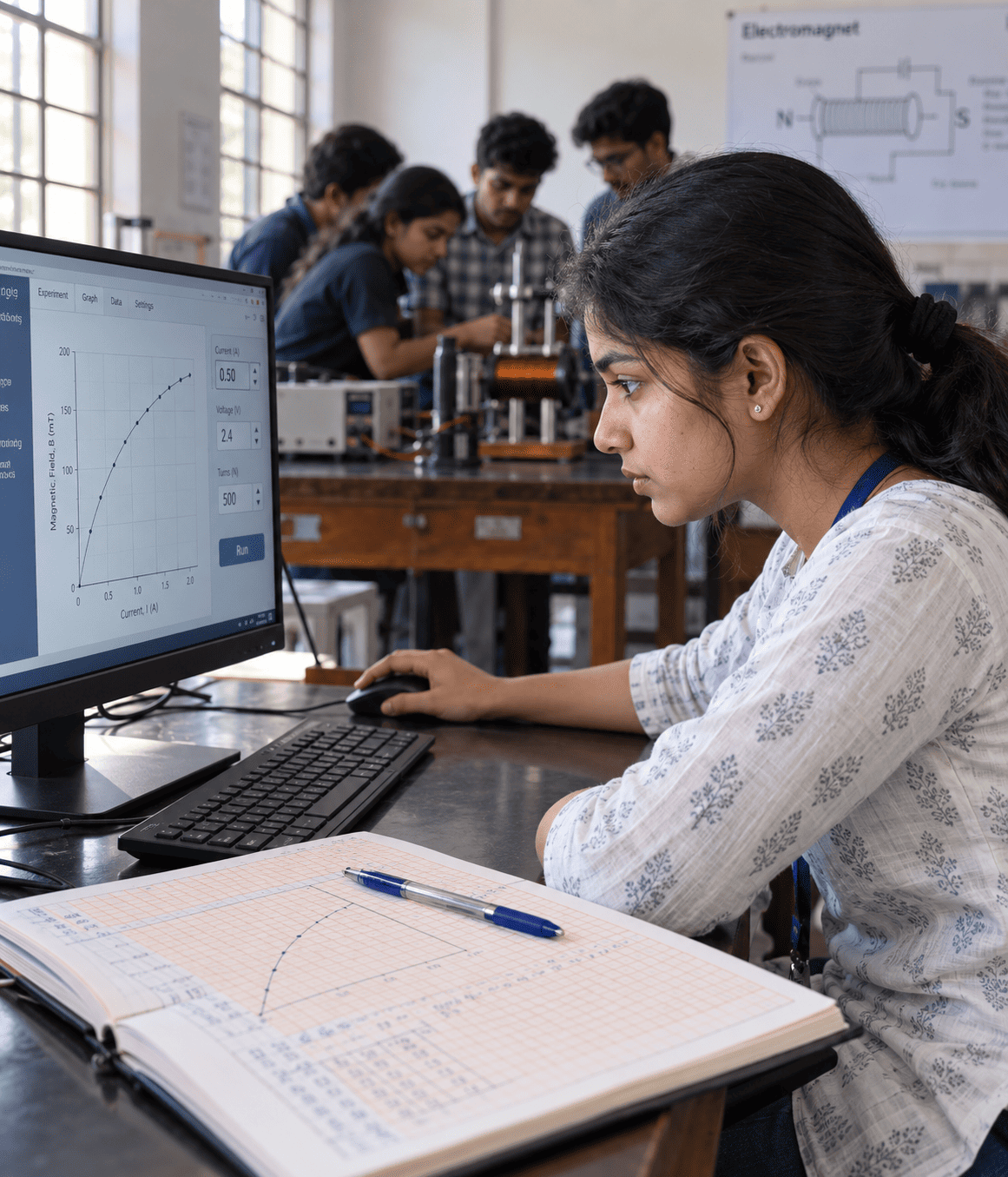
One apparatus, a batch of twenty
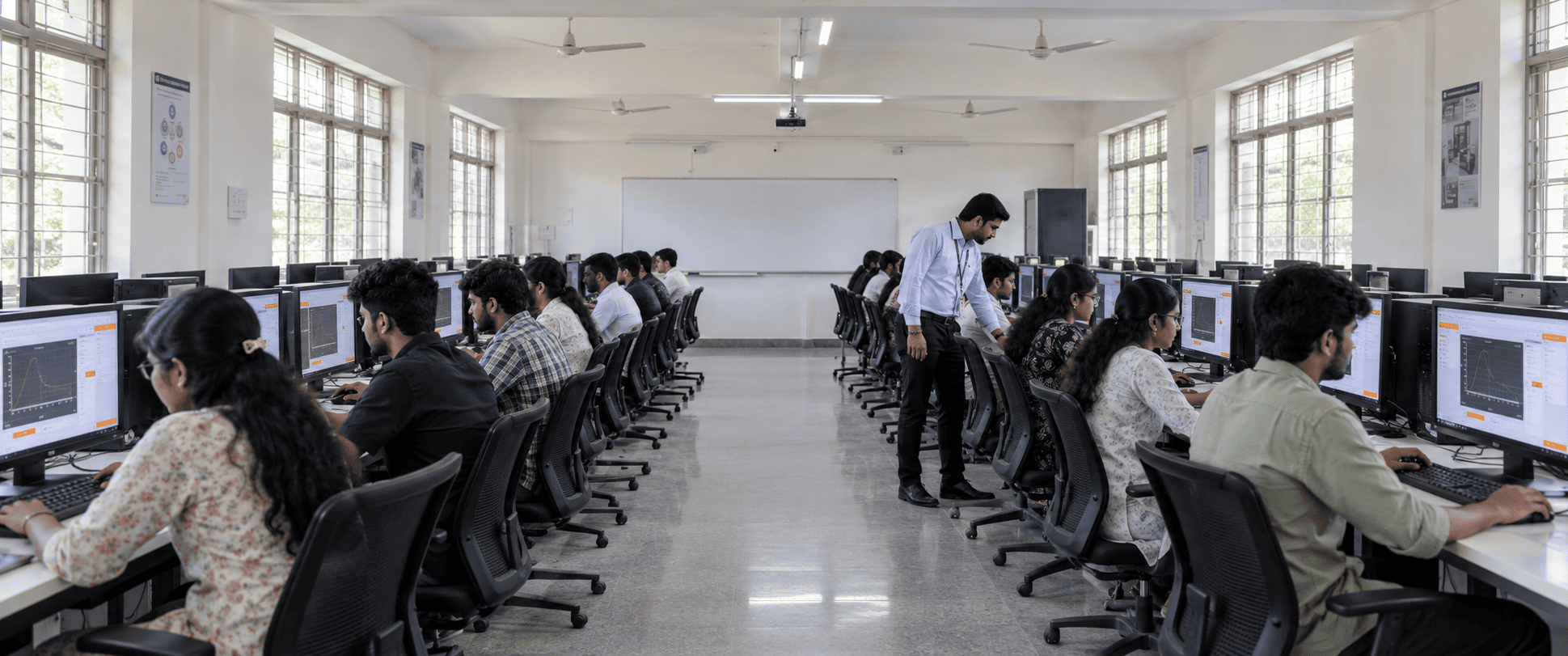
In most practical labs a batch shares one set-up. A few students turn the knobs, the rest copy the readings, and twenty records end up with the same numbers. Prayog gives every student the whole bench.
- Their own readings
- Every run has its own small measurement errors, as a real one does, so no two students' readings, graphs or results come out the same.
- Nothing to break or burn
- Heat the crystal past its limit or push a supply too far and the instrument trips, as the real one would. The student resets it and carries on.
- Practice before the practical
- Students repeat an experiment as often as they need before the lab session or the practical exam, on any licensed computer in the college.
The kits
Each kit is licensed on its own, so a college can start with the practicals its syllabus needs and add more later.
Physics bench kits
9 kits
A full apparatus on screen, in 2D or 3D: instruments with working controls and LCD readouts. Students follow the procedure, fill the readings table, plot graphs with fitted lines and compare their result with the accepted value.
- Hall Effect SetupMeasure the Hall voltage in a p-type germanium crystal and derive the Hall coefficient, carrier density and mobility, from room temperature to 100 °C.Physics
- Franck–Hertz ExperimentAccelerate electrons through neon gas, record the anode current as the voltage rises, and measure the first excitation energy of the neon atom from the spacing of the current maxima.Physics
- Millikan Oil Drop ExperimentFollow charged oil drops through a microscope, time them falling and rising in an electric field, and show that electric charge comes in whole multiples of the elementary charge.Physics
- Michelson InterferometerSplit a beam of light in two, bring the halves together again, and use the fringes to measure a wavelength, the separation of the sodium D lines, and the refractive index of a glass sheet.Physics
- LCR Resonance TrainerDrive a series or a parallel circuit of a resistor, an inductor and a capacitor with a signal generator, and study resonance, bandwidth, quality factor and phase with the voltmeter, scope and phasor diagram.Electronics
- Ferromagnetism: B–H Loop and Curie TemperatureMagnetise soft-iron and hard-steel rings step by step, trace their hysteresis loops, watch the magnetic domains respond, and heat a Ni–Fe alloy through its Curie point.Physics
- Bar PendulumHang a steel bar with a row of holes from a knife edge, time its swings with a photogate, and find the acceleration due to gravity, the bar's radius of gyration and its moment of inertia. A simple pendulum and a study of large swings are included.Physics
- Coupled OscillatorsTwo identical pendulums joined by a spring. Record their swings with magnetic sensors and a data logger, find the periods of the two normal modes, watch the energy beat from one pendulum to the other, and determine the degree of coupling and the spring constant.Physics
- Faraday's Law of InductionDrop a bar magnet through coils of different turns, record the induced emf with a fast data logger and photogates, and show that the emf follows the rate of change of flux linkage while the area under each pulse stays the same.Physics
Electronics course kits
4 courses
Lessons built around live circuits and instruments: flip a switch and watch the logic settle gate by gate, or read a spectrum off a modulated wave. Theory, quizzes and a question bank in every course.
- Digital ElectronicsFrom logic gates to counters and shift registers, simulated live, gate by gate.Electronics
- Analog CommunicationFrom the Fourier series to AM, FM and pulse modulation: every signal drawn from the maths, with its spectrum measured, not assumed.Communication
- Fibre OpticsHow a fibre guides light, what it loses on the way, and how a link carries a signal, with an instrument or a ray diagram for every idea.Communication
- 8051 MicrocontrollerWrite assembly programs and watch the chip run them: registers, memory, timers, interrupts and serial port, with LEDs, displays, keypads, converters and motors on its pins.Embedded systems
A practical, from set-up to record
Every bench kit follows the order of a lab record, so students learn the method as well as the result.
Switch on the units, place the probe, set the ranges. The procedure lists every step and marks it done as the student works through it.
Electronics you can watch work
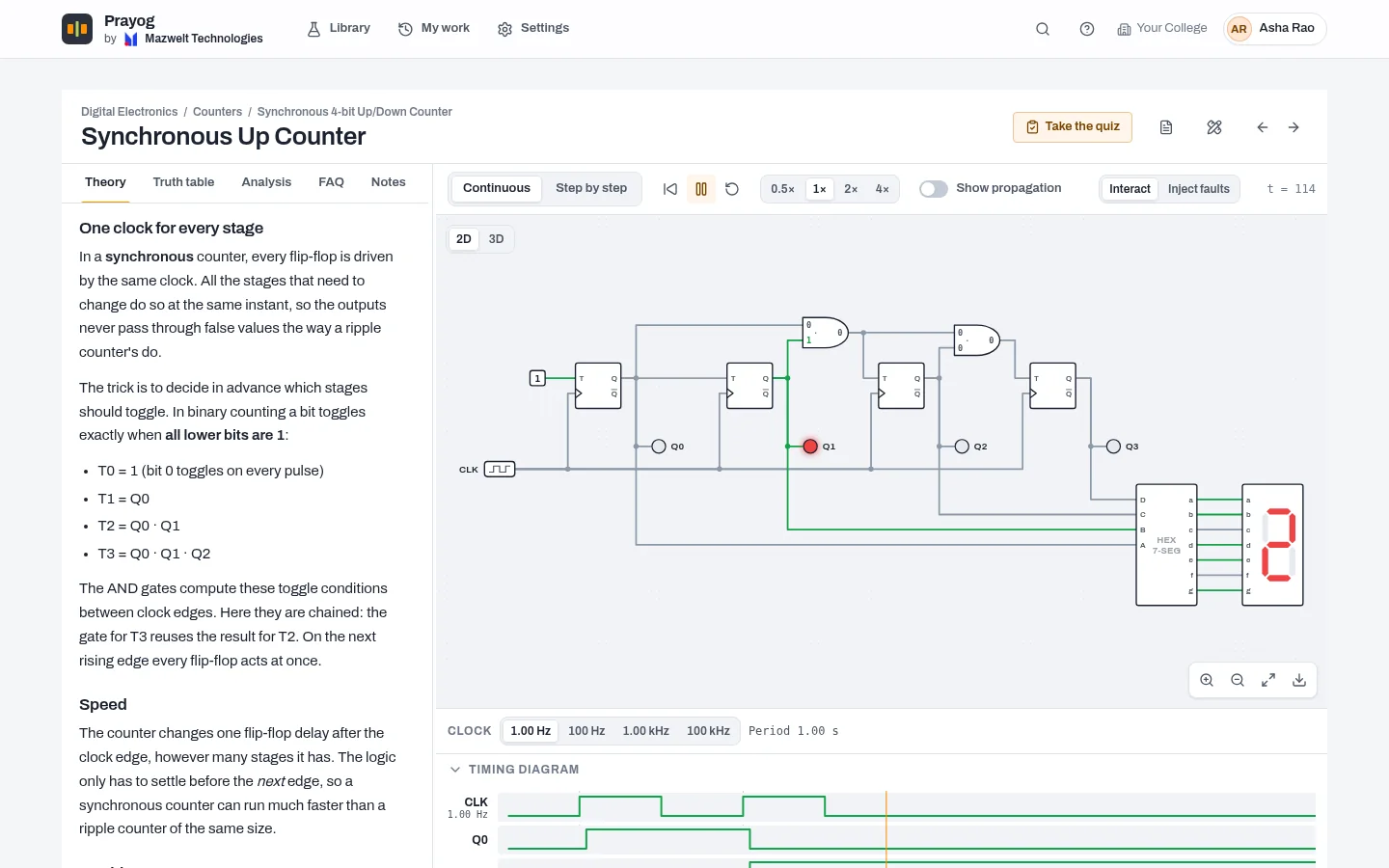
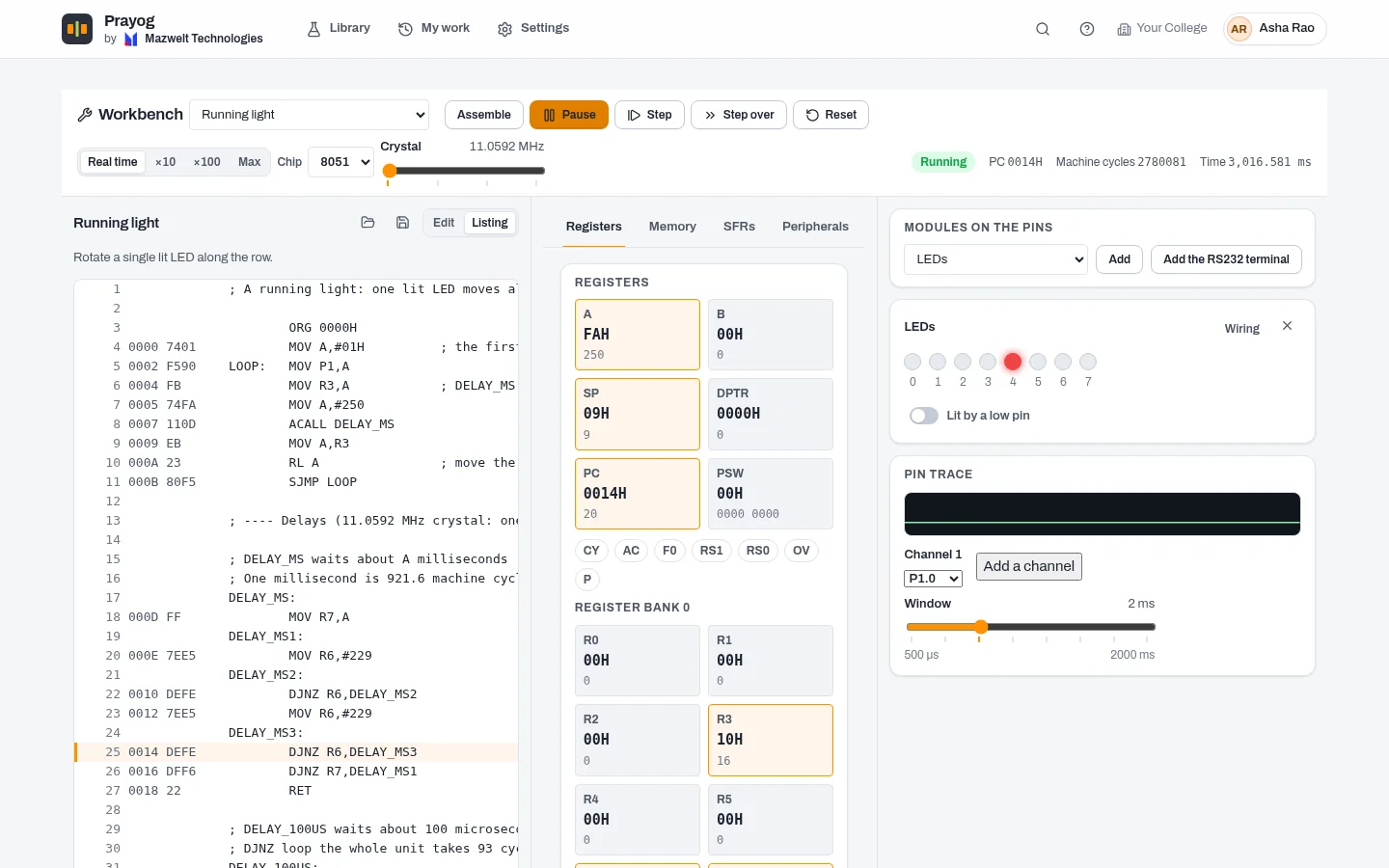
Four course kits take students from logic gates to modulation, fibre links and microcontrollers. The circuits are live, not pictures.
- Digital Electronics
- Analog Communication
- Fibre Optics
- 8051 Microcontroller
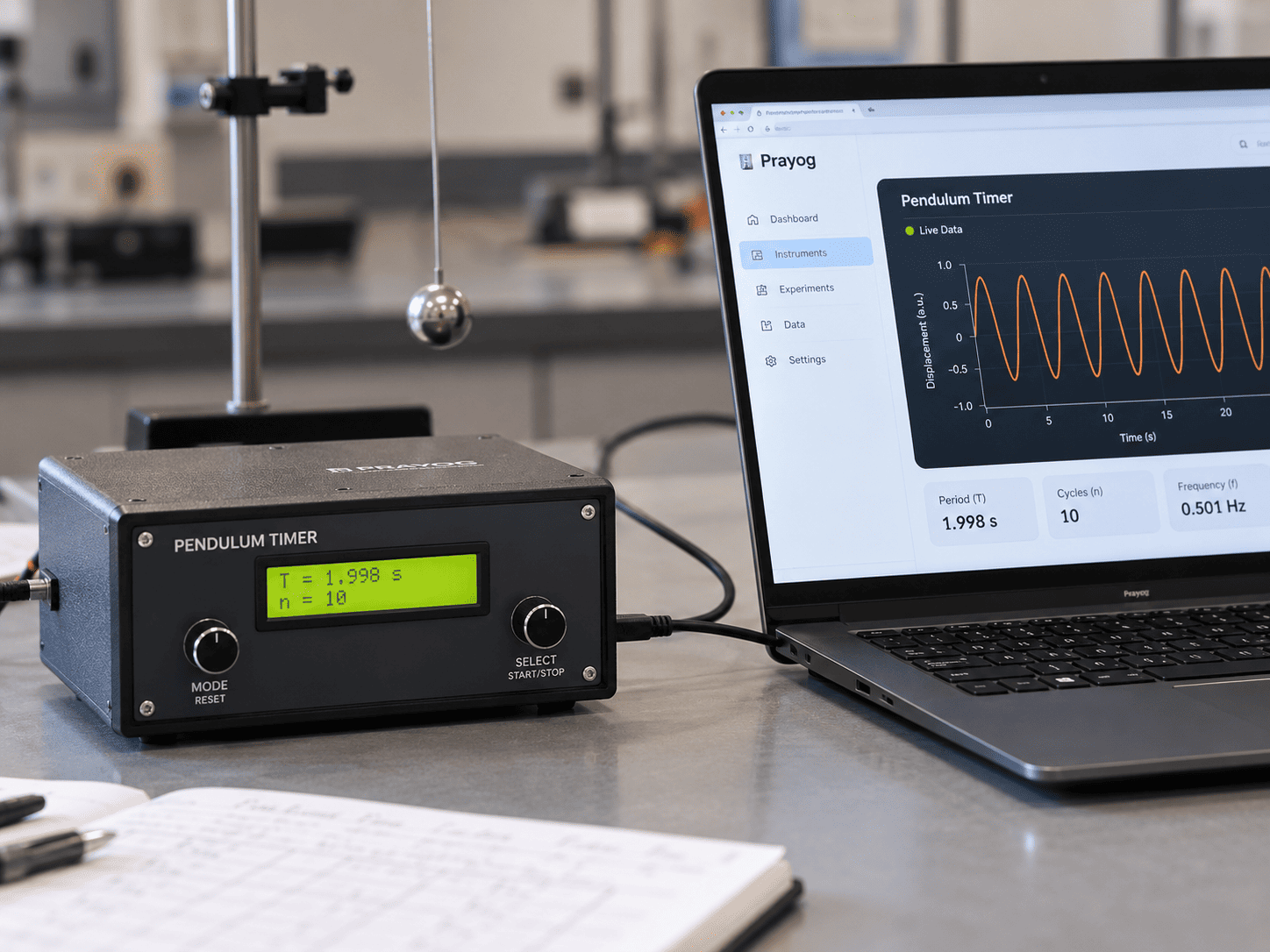
Plug in a real trainer
Trainer boards fitted with Prayog's instrument link connect over USB. Prayog recognises the instrument, shows its readings live and records them to a CSV file. In an experiment, a connected instrument can take the place of the on-screen meter, and the readings table marks every value that came from the hardware.
- Recognised the moment it is plugged in
- Live traces, and recordings saved as CSV
- Hardware readings marked in the table and the record
Tell us which trainers your lab has and we will tell you what can be connected.
Made for college labs
Prayog installs like any Windows program and keeps out of the way of the people who look after your lab computers.
How licensing and installation work- Runs on
- Windows 10 and 11, 64-bit
- Installation
- Once per computer, for every Windows account on it
- Licence
- One key per order: the kits you choose, the number of computers, a start date and an optional end date
- Internet
- To activate a computer and renew its licence. In between it works offline: 14 days by default
- Updates
- Installed automatically; Windows asks an administrator to approve
- Student data
- Stays on the computer. No student accounts, no logins
- Lab records
- Printed, or saved as PDF; readings exported as CSV
- Language
- English
Questions colleges ask
Does Prayog replace our physical lab?
No. It gives every student a bench of their own to prepare on, repeat and revise with, and covers practicals where your lab's apparatus is missing, shared or out of order. Use it alongside the real set-ups.
Does it need the internet?
Only to activate a computer and to renew its licence. Between renewals the computer works offline: 14 days by default, and up to 90 days if your licence allows.
Do students need accounts or email addresses?
No. A student picks or adds their profile on the computer and starts. Their runs, readings and quiz answers are saved on that computer.
What computers does it need?
A Windows 10 or 11 computer, 64-bit. The 3D views use the graphics card when there is one, and switch to lighter drawing on older machines.
Can we buy only some of the kits?
Yes. A licence lists the kits you choose and the number of computers. Kits and computers can be added to it later.
How is Prayog priced?
By the kits and the number of computers on the licence. Tell us what you need and we will send a quote.
Can Prayog read our trainer kits?
Trainers fitted with Prayog's instrument link connect over USB. Tell us which trainers you have and we will tell you what can be connected.
See Prayog on your own lab computers
Book a demo and we will take your faculty through a full practical. Or ask us anything first.